
Cancelling your subscription
If you do not wish to renew your subscription, you must cancel it before the renewal date. If your subscription remains active, the renewal payment will be processed automatically as scheduled. You can cancel your subscription at any time from the My Account section of our website. Once cancelled, your subscription will remain active until the end of the current billing period and will not renew automatically.
How to Cancel Your Subscription
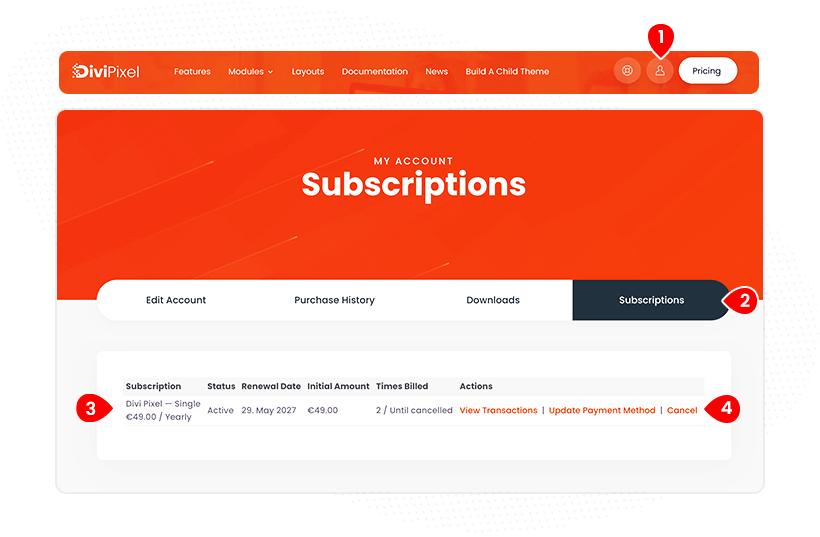
- Login to your account
- Open the Subscription section
- Locate the active subscription you wish to cancel
- Click Cancel button
Once cancelled, your subscription will not renew automatically, and no further renewal charges will be applied.
Renewal Payments and Refunds
Please note that we do not offer refunds for renewal payments. Each subscription provides 12 months of access, giving you ample time to review and manage your subscription before the renewal date. If you do not wish to continue your subscription, you must cancel it before the next renewal payment is processed.
This policy is outlined in our Terms & Conditions, which all customers must review and accept during the purchase process.